
Multiband Stereo Imager
Wide up top, solid down low
Give each part of the spectrum the width it needs. Keep the low end focused, open up the mids and highs, and add stereo character to narrow sources. Live meters help you judge the spread as you work.
VST3 · AU · AAX · macOS & Windows
- ✓ Instant Download
- ✓ Secure Checkout
- ✓ License Key by Email
- ✓ Free Updates
 Imager
VST3 · AU · AAX
Plugin Formats
Mac & Windows
Apple Silicon, Intel & Windows 10/11
Lifetime
License & Updates
Instant
Digital Download
Explore the Plugin
Every Control, At a Glance
Hover any point on the interface to see exactly what it does.
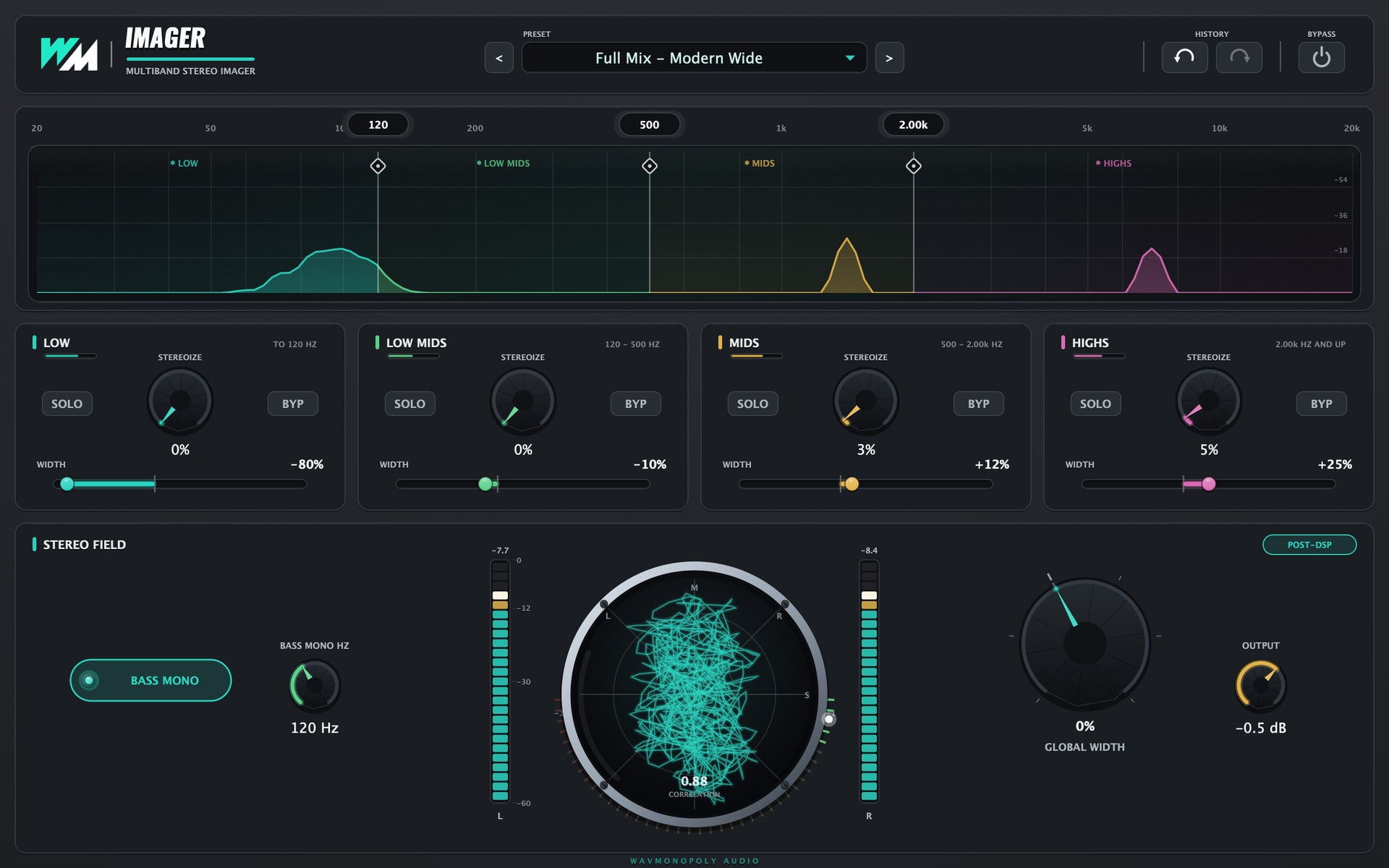
Every Control, Explained
1
Preset bay
Browse stereo-shaping presets.
2
Crossovers
Choose where the four frequency bands divide.
3
STEREOIZE
Add stereo character to the selected band.
4
WIDTH
Adjust the width of an individual band.
5
SOLO / BYP
Listen to a band alone or bypass its processing.
6
BASS MONO
Keep frequencies below the chosen point centred.
7
Stereo field
Watch the stereo spread and correlation.
8
GLOBAL WIDTH
Adjust the overall stereo width.
9
OUTPUT
Set the final output level.
The Features
Discover Imager
01
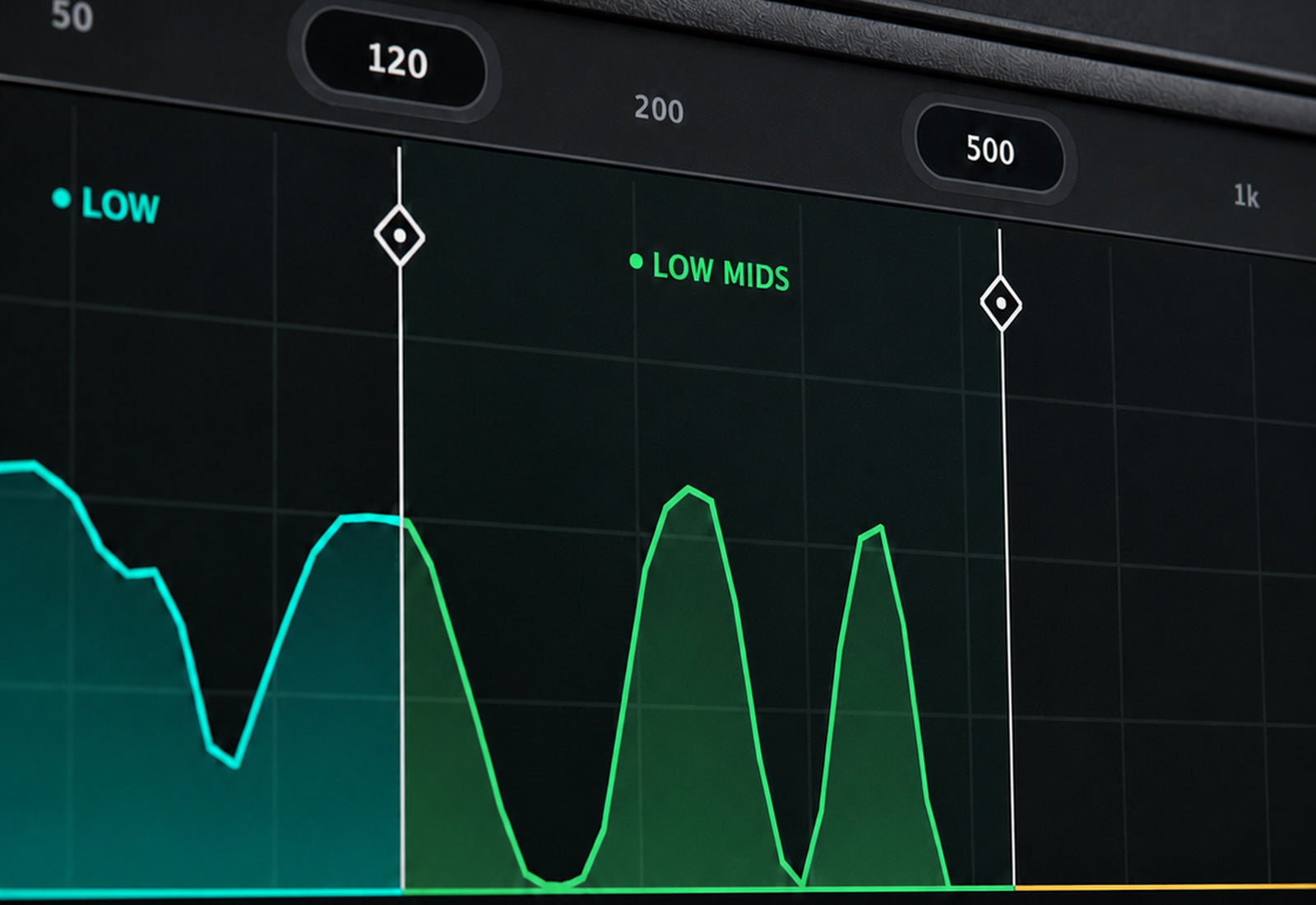
Keep the foundation focused
- Centre the low end with Bass Mono.
- Choose the frequency where bass narrowing ends.
- Check the result against the rest of the mix.
02
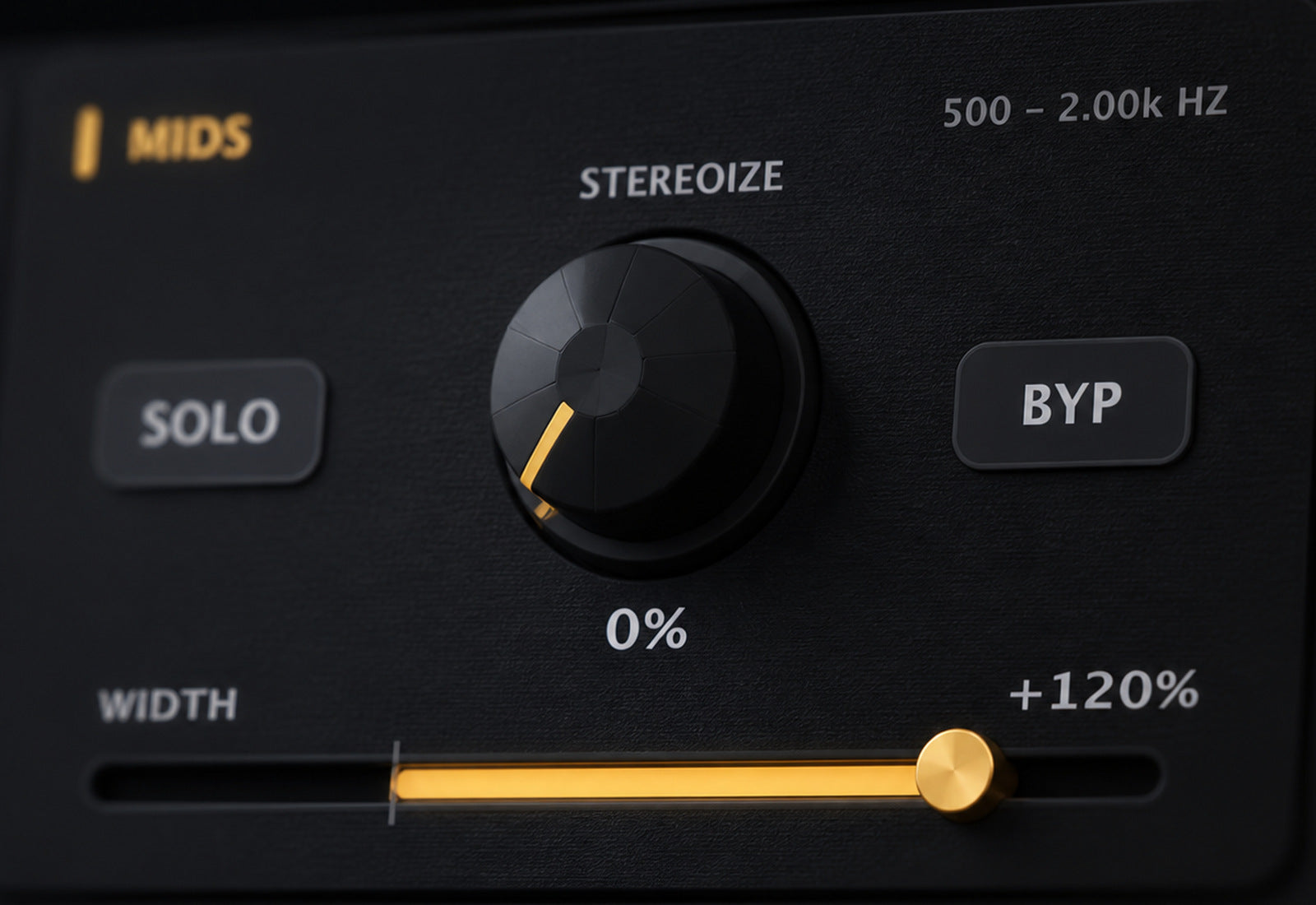
Width where you want it
- Adjust four frequency bands independently.
- Add stereo character with Stereoize.
- Use Global Width for an overall adjustment.
03
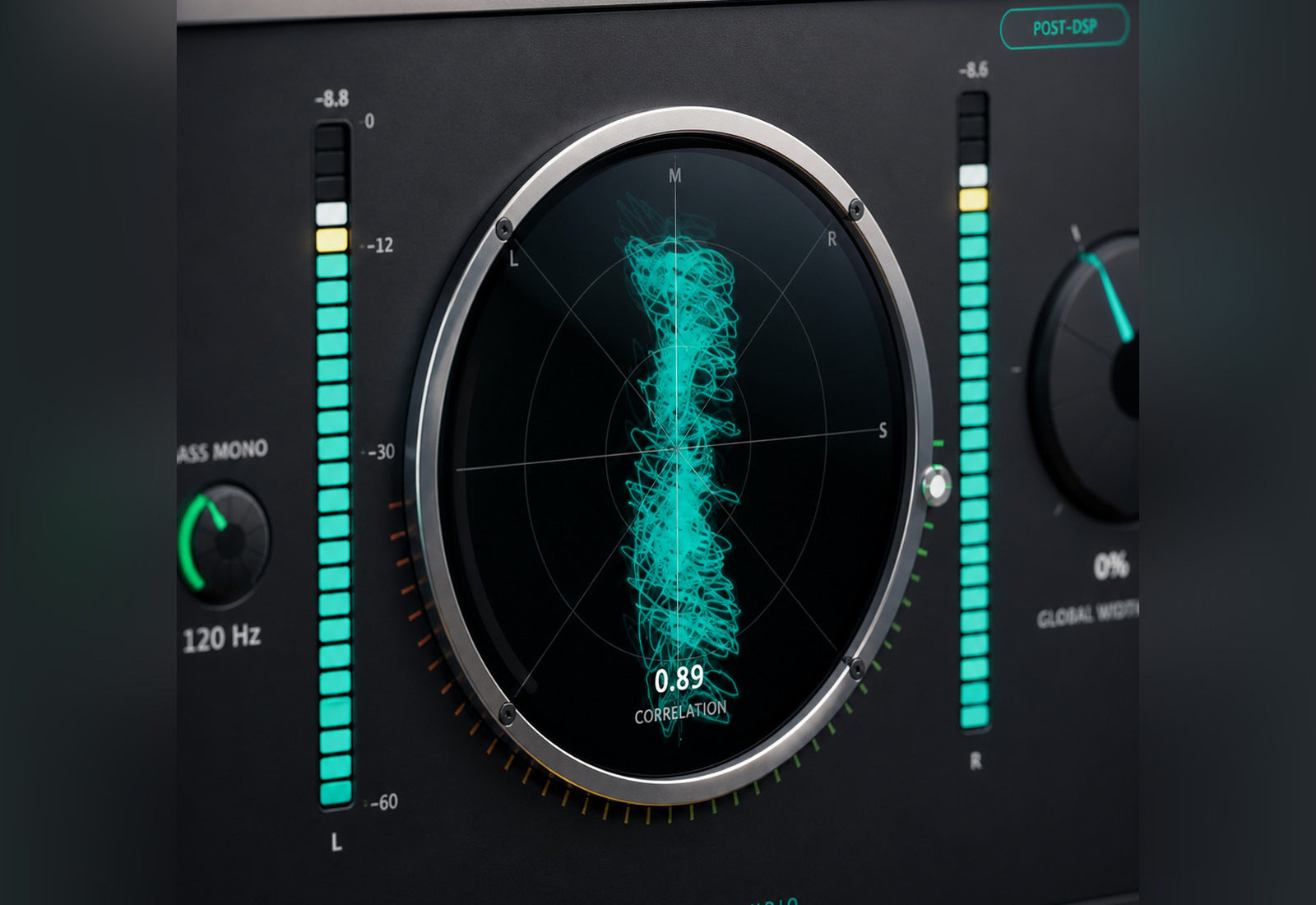
See and hear the spread
- Monitor the stereo field and correlation.
- Solo individual bands to check their contribution.
- Balance the output as you compare settings.
Tech Specs
Built for Every Studio
Formats
Mac: AU, VST3, AAX · Windows: VST3, AAX
Platform
Mac and Windows
Crossovers
40–300 Hz · 150 Hz–1.5 kHz · 800 Hz–8 kHz
Width
−100% to +150% · per band and global
Stereoize
0–100% per band
Bass Mono
40–250 Hz
Metering
Vectorscope · correlation · per-band RMS
Presets
50 factory in 7 banks · unlimited user presets
License
2 machines · yours forever

Ready to level up your sound?
Get Imager
One purchase. Lifetime license. Free updates forever.
$52.49